A design system built with AI.
A personal project to learn how to work with Claude in Figma: AI executes, I decide. And a method so the result doesn’t look generated.
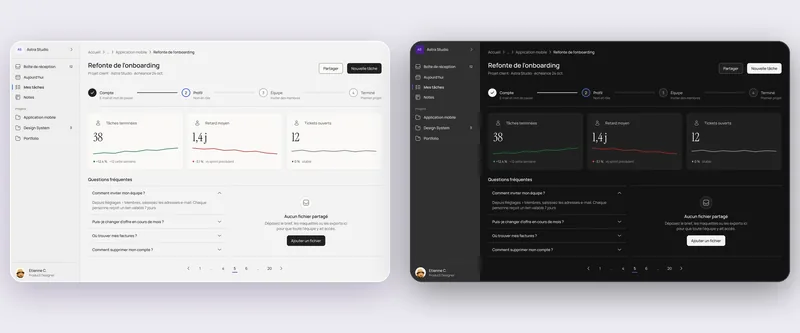
How far AI can go in Figma.
I wanted to test AI on a real file, not a demo: three-tier tokens, components with their properties, full documentation, light and dark themes from the start, then web and mobile.
Claude writes in Figma through the MCP. I set the rules, approve each step and fix what’s wrong.
AI executes, I keep the judgment.
Small steps, read before writing, a screenshot after every change, an automatic audit at the end of each step. Specs are generated from the variables, so the docs can’t drift from the system.
The framework came from an incident: while tidying the icons, a script deleted 53 main components. I restored them from the version history. Since then: a backup before any bulk operation, and never a deletion without a check.
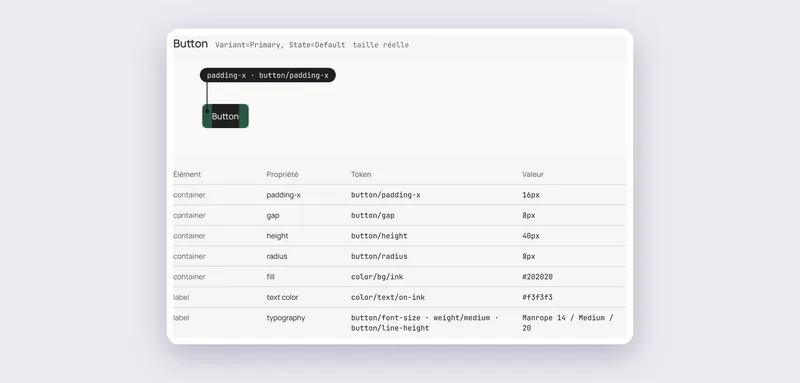
Writing down taste, not just tokens.
The system was clean and well documented, but it looked generated: blue gradient, cards everywhere, accent on everything.
I wrote skills for the AI (visual direction, screens, interactions, writing, case studies) and an audit that scores a screen out of 10. An early version of this portfolio scored between 2 and 4; this one scores above 9.
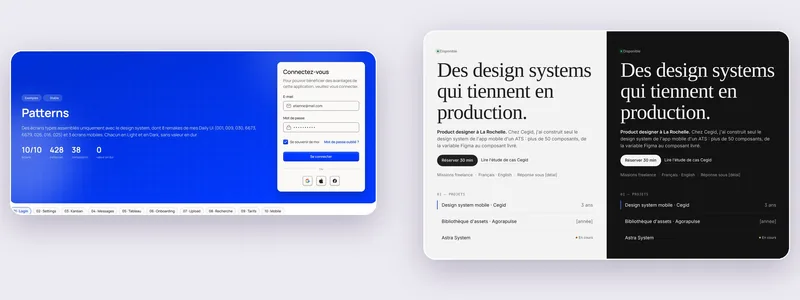
- BeforeGradient, floating card, accent everywhere.
- After“A tool that stays quiet”: ink, hairlines, accent as a line.
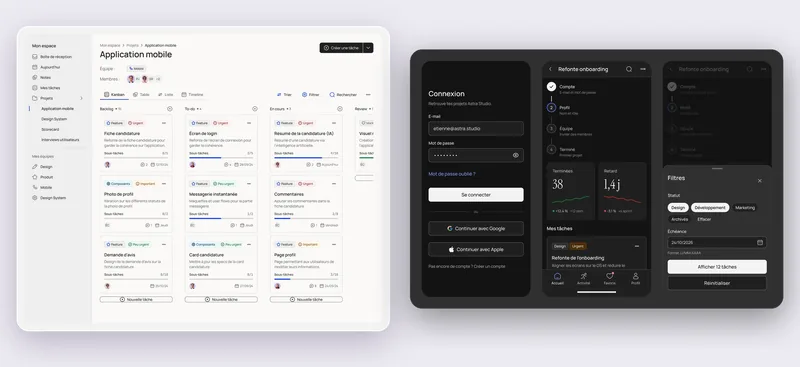
The system in real screens.
Ten template screens built only from the components and tokens: a kanban on web, three mobile screens in dark theme.
What I took away.
AI is fast at execution and documentation. Taste isn’t there by default: you have to write it down, measure it, and know when to say no.
Delivered: the Astra System Figma file, the token export (CSS and JSON), a code starter kit and 7 skills reusable on other projects.
 Back to the start · 01 / 03Keeping visuals inside the productRead the Agorapulse case study
30 minutes on your product and what’s holding it back.

Etienne Chevalier · 30 min